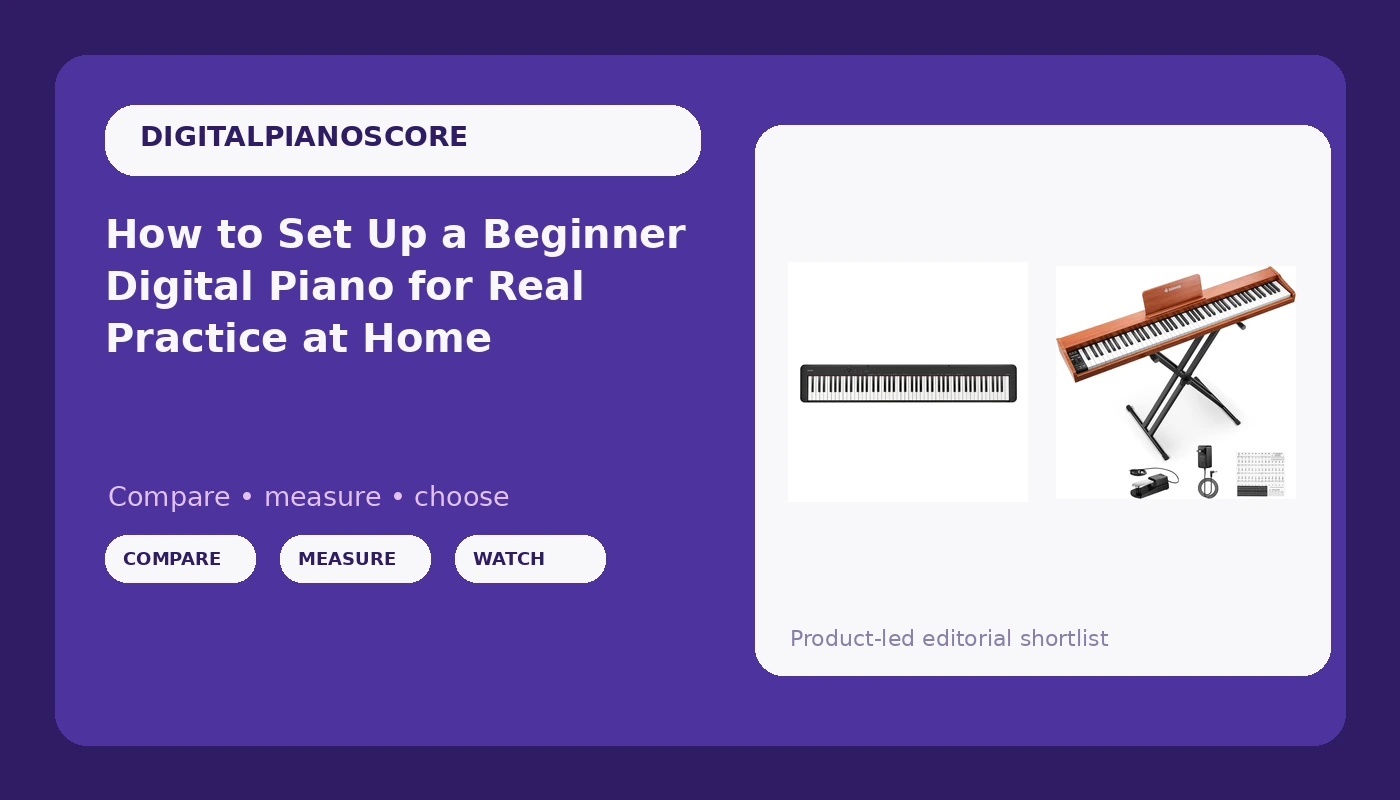
Most beginner digital piano setups fail in the first week, and it is almost never the student's fault. The instrument sits on a wobbling X stand at the wrong height. The sustain pedal slides across a hardwood floor. The sound is a concert grand patch pushed through speakers the size of a coffee cup, drowned in reverb that hides whether the student actually played the note cleanly.
I have taught 30 students a week out of a home studio in Seattle for 25 years, and I have watched this same scene play out at every budget, from an entry-level board to a professional slab. The fix is almost never a more expensive instrument. It is the order you do things in: choose an action you can live with, get the piano to the right height, deal with the pedal, then set the sound so it rewards finger control instead of hiding it.
This is how I set up a beginner digital piano for a student who practices alone at home, and the two 88-key instruments I would put in the room while they learn.
Why you should trust me
I am a classically trained pianist and I have been teaching for 25 years, most of that in a home studio where I also record session work. I have owned 12 digital pianos over my career, and I have helped more transfer students than I can count undo a summer of habits they picked up on an instrument that fought them. I do not sell pianos, I do not take manufacturer money, and I have no reason to push you toward one brand. When a parent asks me what to buy, I tell them what I would put in my own teaching room, and I tell them which corners are safe to cut and which one will cost the student a year.
How I check an instrument before I recommend it
Every piano that comes through my studio gets the same three pieces: the same Bach prelude, the same Chopin nocturne, and a blues improvisation in whatever key the student is working in. The Bach tells me whether the action lets me control a quiet repeated note. The Chopin tells me whether the key weight stays consistent as I move from the bottom of the keyboard to the top. The blues tells me whether I can dig in without the tone turning into a wall of sound.
I keep a dB meter on the music stand and a scale on the bench, and I use them to answer one question: does this instrument get louder because I played harder, or does it get louder because I played deeper into the piece? The second behavior is the one that ruins students. An action that swells as you move down the keyboard teaches a kid to play everything at the same dynamic, and that takes a year to unlearn.
Then I check key repetition the boring way, alternating fingers on the same note, slow and then fast, listening for whether the note re-triggers cleanly or swallows the second strike.
What a beginner digital piano actually has to do
Three things, in this order.
The action comes first. Graded hammer action is a spectrum, not a checkbox. At the bottom of the range you get keys that bounce and return slowly, so repeated notes blur together and quiet passages are harder than they should be. At the top you get keys that let you control tone with finger speed, which is the whole point of playing a piano instead of pressing buttons. A student can learn on a mediocre action for a year, but they will learn slower and they will fight the instrument the entire time.
Speakers come second. Sample quality across brands has plateaued. The differences most people hear between two pianos in a store are speaker voicing, not the samples. A great sample through a small, thin speaker sounds like a great sample through a pillow.
Polyphony comes last, and it is mostly marketing. Nobody plays 256 notes at once. A beginner digital piano with 64-note polyphony and a real action beats one with a big number and a springy keyboard every single time.
The two instruments I would put in a student's room
Two very different budgets, two very different jobs.
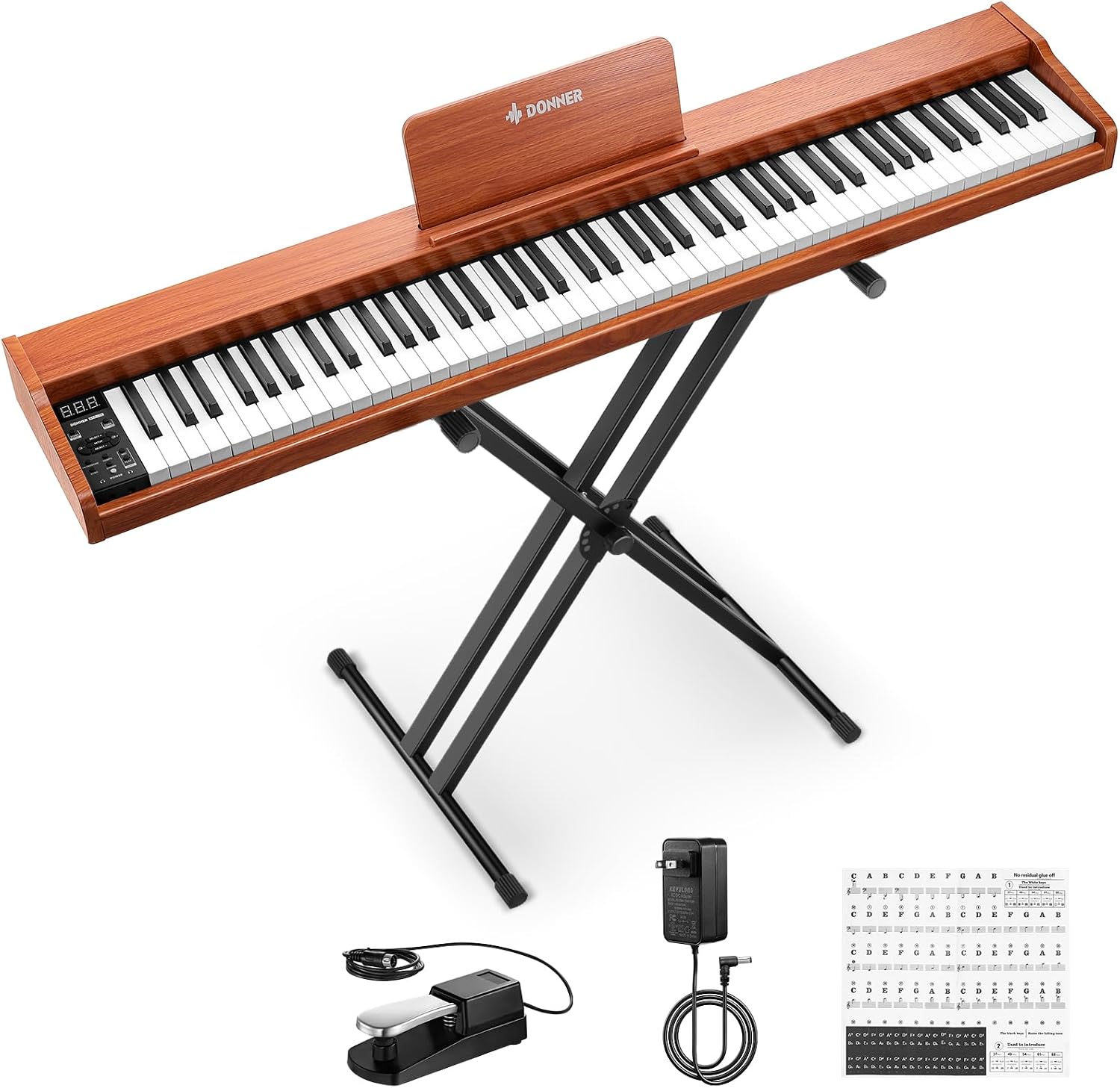
Budget pick: Donner DEP-1S Piano Keyboard 88 Keys, Beginner Digital Piano with 88 Key Velocity-Sensitive Keyboard, Record, Bluetooth, Chord, Bundle With Piano Stand, Piano Stickers, Sustain Pedal, Retro Wood Color
 Visit on Amazon →
This is the bundle I point parents to when the budget is the hard limit and the alternative is a 61-key toy with no pedal at all. What arrives in the box matters more than the spec sheet at this price: 88 velocity-sensitive keys, a stand, a sustain pedal, piano stickers for the keys, plus recording, Bluetooth, and chord functions.
For a 10-year-old in the first six months, the stand and the stickers are not accessories. They are the difference between an instrument that gets played and one that lives under a bed. The Bluetooth is genuinely useful for playing along with a backing track or a lesson app, and recording lets a student hear what they actually sounded like instead of what they thought they sounded like.
The honest caveat is the action. The spec line describes velocity-sensitive keys rather than a graded hammer action, and that matches how this tier of instrument plays. Keys return more slowly, so fast repeated notes and controlled quiet passages take more effort than they should. If your student is already playing real repertoire with dynamics, treat this as a bridge instrument rather than a three-year instrument.
Flaws but not dealbreakers: The sustain pedal in the bundle is the weak link. It slides, and on a hardwood floor it will be under the couch by week three. Tape it down or plan to replace it. The key stickers are for the first month, then peel them off before they become a crutch.
A parent who needs a complete, playable setup this week and understands that the action is the compromise will be happy here.
Our pick: Casio CDP-S160-88-Key Weighted Digital Piano with Scaled Hammer Action Keyboard | Duet Mode for Students | Realistic Feel, Slim & Portable | Built-In Tones, Effects, USB-MIDI, Speakers | Black
 Visit on Amazon →
This is the one I recommend when the student is serious and the budget can stretch, and it is the instrument I would choose for a transfer student coming back after a summer away. The action is a scaled hammer action, which means the keys are weighted and graded across the range, heavier at the bottom and lighter at the top. That grading is what lets a student feel the difference between a bass line and a melody instead of playing both with the same finger.
Duet mode is the feature I use most as a teacher. It splits the keyboard into two equal ranges so I can sit at the left end and the student at the right, both of us in the same octave, without leaning over each other. If you take lessons and your teacher does not keep a second piano in the room, this mode alone earns its place. USB-MIDI means it can drive a lesson app or a notation program on a laptop, and the built-in speakers are good enough for a bedroom or a small studio. It is slim and light enough that a student can move it between a bedroom and a living room without help.
Flaws but not dealbreakers: It is a slab, so budget for a proper stand. The internal speakers are fine for practice but thin for anything else, and the pedal that ships in the box is a switch, not a pedal with real travel.
A student who will keep playing past the first year should start here.
The setup, step by step
Step one: Pick the spot. A digital piano in a room nobody sits in does not get played. Put it where the family already is, near an outlet, out of direct sun, and not against a radiator.
Step two: Get the height right. Elbows should sit level with the tops of the keys, wrists flat, feet flat on the floor. An X stand at its highest setting plus a dining chair leaves most students three or four inches too low, and that is how you get a collapsed wrist in the first month. Adjust the stand before you adjust anything else, and if the bench is a dining chair, replace it. The bench that ships in a bundle is usually the second thing to replace, right after the pedal.
Step three: Fix the pedal before the first lesson. A sustain pedal that slides teaches a student to chase it with a foot, which means the heel comes off the floor and the whole leg tenses. Put a strip of grip tape or a small block behind it. If the piano supports a proper pedal unit, that is money well spent.
Step four: Set the sound so it tells the truth. Turn the reverb down or off. Turn off any concert hall or ambient effect. If the piano has a touch or velocity setting, choose the heavier one, so the student has to play with some weight to get a full sound. Then set the master volume lower than feels fun. A quiet piano that makes a student work is a better teacher than a loud one that flatters them.
Step five: Solve headphones now, not in week six. Check where the jack sits before you buy. A jack on the back of the unit means the cable runs across the top of the piano every time. Keep a pair of over-ear headphones on a hook next to the bench so silent practice is the easy option instead of the inconvenient one.
Step six: Build the first two weeks around one habit. Slow, hands separate, with a metronome. Not pieces, a habit. I would rather a student practice 15 minutes a day for 14 days than an hour twice.
What I left off this list
A few things I get asked about constantly and deliberately skipped.
Cabinets. A cabinet piano is furniture you pay a large premium for, and it is the same action and the same samples in a heavier box. Slabs plus a good stand win on price and on moving day, which matters for a student who will take this to college in four years.
The top action tier. Yamaha and Kawai own the highest quality tier right now, and that is a real difference. It is also not what a first instrument needs. The Chinese brands are closing the gap on sound but not on action consistency, which is exactly why I name specific models instead of brands.
Synthesizers and 61-key keyboards. Not instruments I recommend for beginners, because they do not build the hand. You can have fun on one, but you will not learn to control tone with finger speed.
And anything advertising a concert grand sound from three-inch speakers. That claim is a speaker problem pretending to be a sample problem.
What this actually costs, and where to put the money
Prices move, so I will not quote you a number. Check the current Amazon price on whichever instrument you are considering before you decide, then plan the rest of the budget in this order: instrument, bench, pedal, headphones.
That order surprises people. The bench and the pedal are the two things a beginner touches every single session, and they are the two things that ship as afterthoughts. A student who is uncomfortable or who is fighting a sliding pedal stops practicing, and a piano that does not get practiced is a piece of furniture.
If you buy the Donner bundle, the stand is included, so put the savings toward a real bench. If you buy the Casio, budget for a stand and a bench, because the instrument is only half of a setup.
The math that matters is cost per practice session. Divide whatever you spend by the number of times the piano actually gets played. An instrument that gets played 300 times a year is cheap at any price in this range. An instrument that gets played six times is expensive no matter what it cost.
What to do this week
Buy the instrument you can afford, put it where the family lives, get the height right, tape the pedal down, turn the reverb off, and give the student 15 minutes a day for two weeks. Then sit down and listen. If they are still playing in week three without being asked, the setup worked and the action is good enough for now. If they are not, the problem is almost never the student. It is the height of the bench or the sound of the instrument fighting them, and both of those are fixable this weekend.