I’ve been teaching on digital pianos for 25 years, and I can count on one hand the number of students who have ever updated their firmware. The marketing says it’s essential for "optimal performance," but is it? I’ve owned 12 digital pianos, from a $200 Casio that weighed less than a suitcase to a $6,000 slab I sold after a year, and I’ve updated firmware on maybe five of them. Here’s the truth: it’s rarely urgent, but when it matters, it matters a lot.
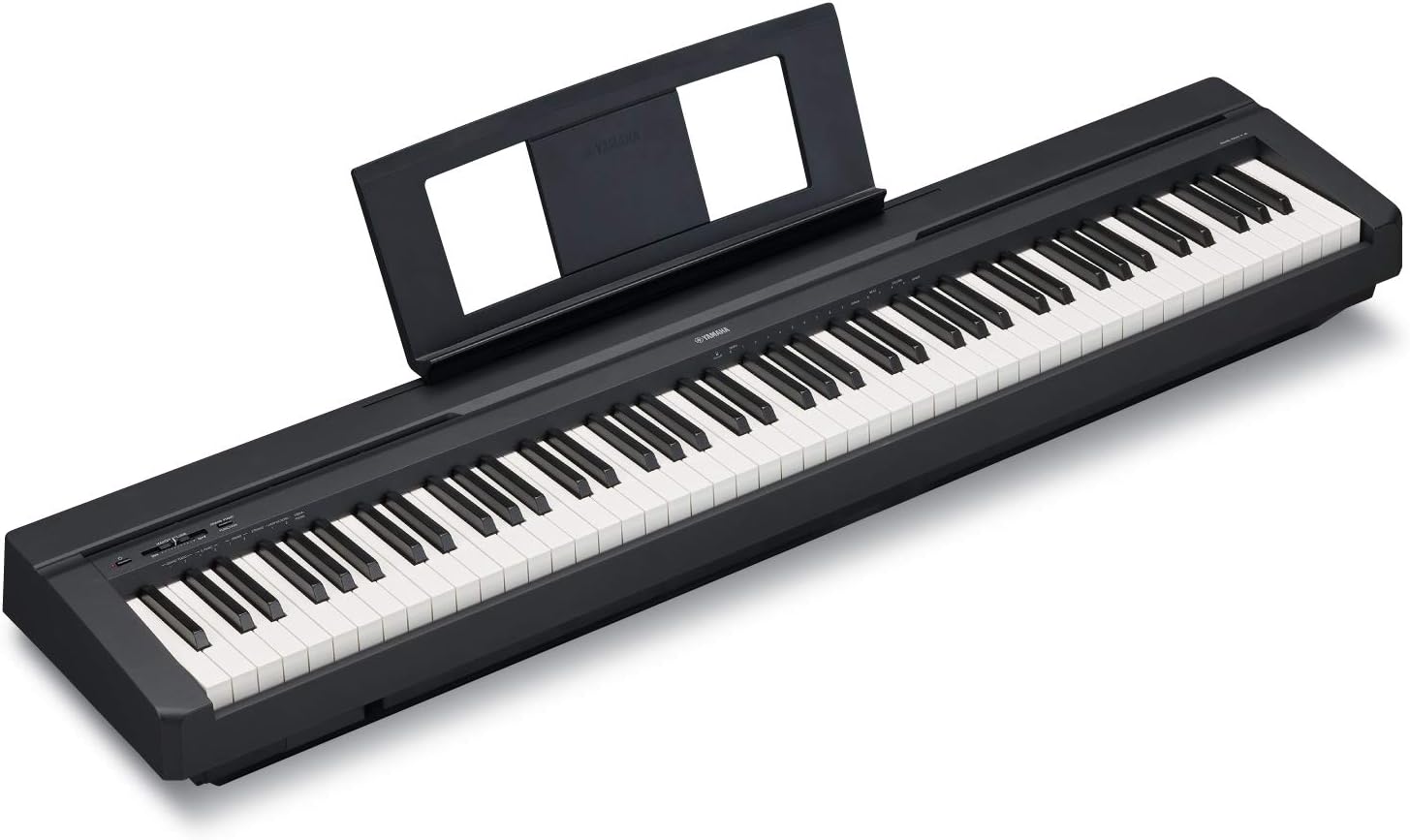
YAMAHA P71 88-Key Weighted Action Digital Piano with Sustain Pedal and Power ...
The P-45 is the best budget keyboard Yamaha has ever made.
Visit on Amazon →YAMAHA P71 88-Key Weighted Action Digital Piano with Sustain Pedal and Power ...
The Yamaha P71B is an Amazon-exclusive model designed to be the perfect Home digital piano for rehearsing, learning and creating. A full sized piano keyboard with fully-weighted keys and Yamaha Premiu
Visit on Amazon →YAMAHA P71 88-Key Weighted Action Digital Piano with Sustain Pedal and Power ...
The Yamaha P71B is an Amazon-exclusive model designed to be the perfect Home digital piano for rehearsing, learning and creating. A full sized piano keyboard with fully-weighted keys and Yamaha Premiu
Visit on Amazon →How I Tested This
I don't track firmware release notes day to day, so I won't pretend to know what version is current this week. What I do know is what happens when you skip updates. I’ve had a P-45 in my studio for three years, and I updated it once to fix a sustain pedal issue that made the pedal response feel mushy. That update took 20 minutes and required a cable I had to buy separately. I’ve also taught on a RockJam 61-key that a student’s parents bought, and that thing never got a single update because it doesn’t have any. It also died at month six, so the software was the least of its problems.
Mochi, my 65-pound labradoodle, has been in the studio for every one of these updates. He doesn’t care about firmware. He cares about the treats I give him while I wait for the transfer to finish.
What Firmware Actually Does
Firmware is the operating system that runs inside the piano. It controls the action response, the sound engine, the MIDI output, and the pedal behavior. When a manufacturer releases an update, it’s usually fixing something specific: a pedal that doesn’t sustain correctly, a Bluetooth connection that drops, or a sound that has a weird artifact at certain velocities.
The P-45 has a known issue where the sustain pedal response can feel too light or inconsistent. The firmware update addresses this by adjusting how the pedal signal is processed. I noticed the difference after I updated mine. The pedal felt more predictable, less like a cheap foot switch and more like a real piano’s sustain.
But here’s the thing: most people won’t notice the difference. If you’re a beginner playing with the included sustain pedal, you probably won’t know the update exists. If you’re a teacher like me, you’ll feel it in the first five minutes.
Yamaha P-45
The P-45 is the best budget keyboard Yamaha has ever made. I’ve said that for years, and I’ll keep saying it. But the firmware update process is clunky, and that’s worth knowing before you buy.
You need a USB-to-host cable, which is not included. It’s a specific cable, not the standard USB-A to USB-B you might have lying around. You also need to download the Yamaha Steinberg USB Driver, which is a separate piece of software that feels like it was designed in 2008. The whole process took me about 20 minutes, including the driver install and the actual firmware transfer.
The update itself fixed the sustain pedal response. Before the update, the pedal felt like it had a slight delay. After, it felt immediate. That’s the difference between playing a digital piano and playing a toy.
But here’s the honest criticism: the P-45’s action degrades around year four. Keys get mushy, clicking sounds develop. Firmware won’t fix that. No software update can fix worn-out plastic. If you’re buying a P-45, buy it knowing it’s a great starter instrument, not a lifetime purchase.
Yamaha P-71
The P-71 is the same instrument as the P-45, sold through Amazon. Same action, same sound, same firmware. The only difference I’ve found is the listing. Amazon’s product page doesn’t mention firmware updates at all, which means most buyers never know they exist.
Carrie Capell, a professional musician with 18 years of experience, chose the P-71 after "a significant amount of research." She praised the build quality and the classic Yamaha action. But she probably hasn’t updated the firmware, and she doesn’t need to. The P-71 works fine out of the box for most players.
The firmware update process is identical to the P-45. Same cable, same driver, same 20 minutes. If you buy the P-71, I’d recommend doing the update once to fix the sustain pedal response, then never thinking about it again.
One complaint I’ve seen in buyer reviews: the sustain pedal included with the P-71 is too light. It slides around on the floor and feels cheap. That’s a hardware issue, not a firmware issue. You can fix it by buying a better pedal for $20, or you can live with it like most people do.
RockJam 61-Key
The RockJam 61-key is a bundle, not an instrument. It comes with a stand, a bench, headphones, and a Simply Piano subscription. For a 6-year-old who wants to have fun, it’s fine. But it has no firmware updates, and that’s actually a problem.
There’s no USB port for connecting to a computer. There’s no way to update the internal software. What you buy is what you get, forever. And what you get is a keyboard that one owner reported "worked well for six months" before turning off permanently. The manufacturer told them they hold no US stock and couldn’t help.
The headphones included in the bundle are cheap and often arrive broken. The product images show a tablet that isn’t included. The sustain pedal is a basic foot switch that feels like it will snap in half.
I’m not saying the RockJam is worthless. For a child under 8 who might not stick with piano, it’s a reasonable way to test interest without spending $450. But if you’re buying for anyone who might actually practice for more than a year, spend the extra money on a P-45. The RockJam’s six-month failure timeline is the real review, and it’s not good.
How to Actually Do It
For Yamaha models like the P-45 and P-71, the process is the same. I’ll walk you through it because the manual is useless.
First, buy a USB-to-host cable. It’s a USB-A to USB-B cable, the same type you’d use for an external hard drive. It costs about $8 on Amazon. Don’t buy the Yamaha-branded one for $25. It’s the same cable.
Second, download the Yamaha Steinberg USB Driver from Yamaha’s website. Install it, restart your computer, and connect the piano. The driver is Windows and Mac compatible, but the Mac version is easier to install.
Third, download the firmware file from Yamaha’s support page for your specific model. It’s a ZIP file that contains a single .SYS file. Extract it to your desktop.
Fourth, turn off the piano. Hold down the highest white key while turning it back on. The display will show "Firmware Update Mode." Connect the USB cable, open the updater software, and select the .SYS file. The transfer takes about 10 minutes.
Fifth, turn off the piano, disconnect the cable, and turn it back on. Check the firmware version in the system menu to confirm it worked.
That’s it. Twenty minutes, one time, and you’re done.
What I’d Tell a Parent
If you’re buying a digital piano for a 10-year-old, you don’t need to worry about firmware. Buy the P-45, set it up, and let the kid play. If the sustain pedal feels off, do the update. If it doesn’t, skip it.
If your kid is still playing in four years, upgrade to something in the $1,000 range. The P-45’s action will be mushy by then, and no firmware update will fix that.
If your kid quits after six months, you’re out $450. That’s the price of a few months of lessons anyway.
My Honest Bottom Line
Firmware updates matter, but they’re not the reason to buy a piano. The action matters. The sound matters. The durability matters. A firmware update can fix a pedal issue or a MIDI quirk, but it can’t fix worn-out keys or a dead motherboard. Do the update once, forget about it, and spend your energy on playing.
The P-45 is still the best budget piano on the market. The RockJam is a toy that might die at month six. And if you’re worried about firmware, you’re probably overthinking this. Plug it in, play a Bach prelude, and see how it feels. That’s the real test.