Related: Best Digital Piano For Kids
The Yamaha P-45 is the best budget digital piano I've tested, because its action feels like a real instrument, not a toy. But the real story is how you get that sound into your computer, and that's where most people get confused.
I've been teaching on these slabs for 25 years, and I've hooked up everything from a $200 Casio to a $6,000 Roland to my studio DAW. Mochi, my labradoodle, has learned to sleep through the sound of MIDI cables being fumbled behind the keyboard.
The truth is, connecting a digital piano to a computer is a 10-minute job once you know which cable you need.
The problem is that most guides assume you're a computer engineer. You're not. You're a pianist who wants to record a Chopin nocturne without buying gear you don't need.
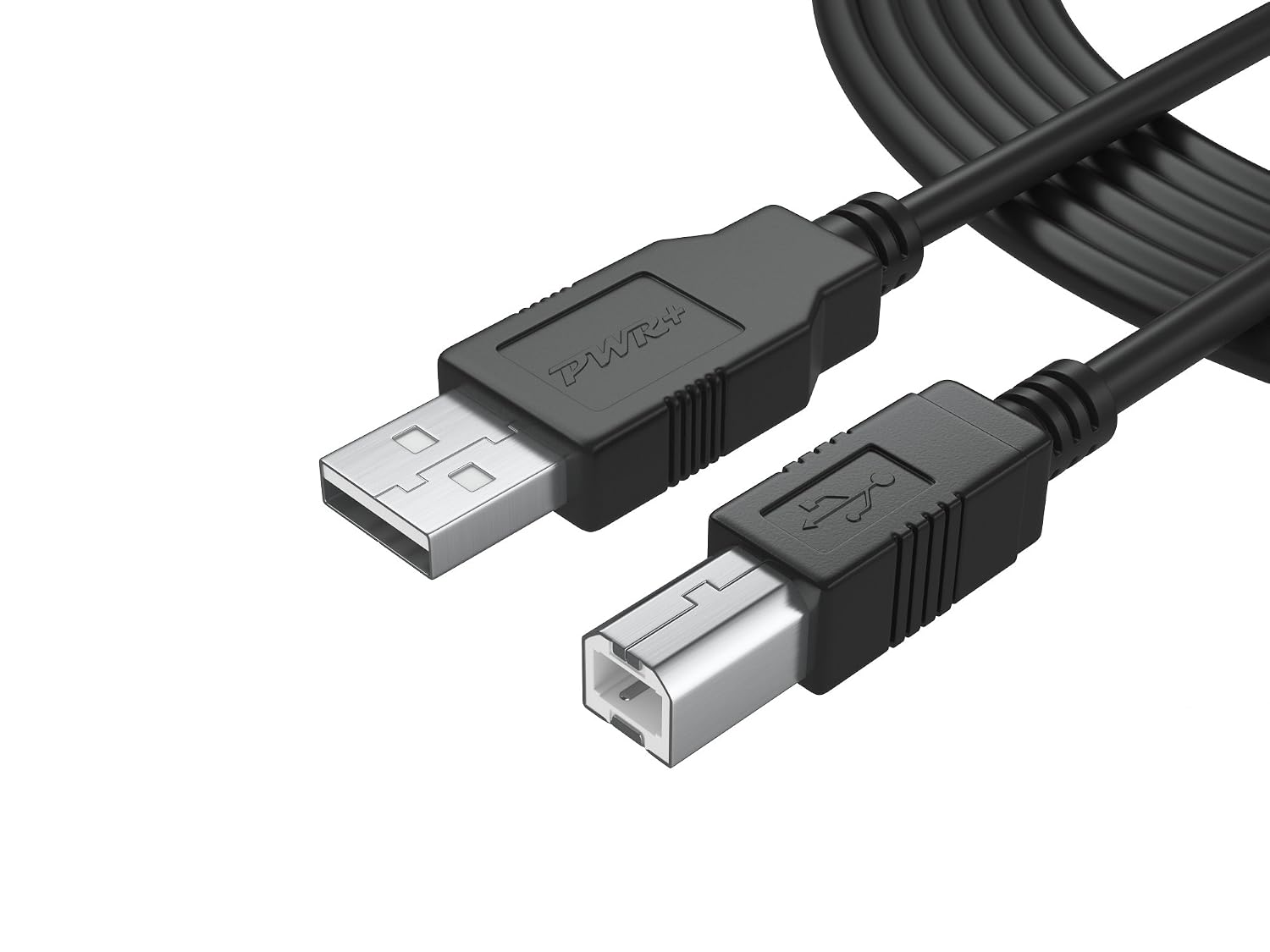
6Ft Long Cable USB 2.0 Type-A to Type-B High Speed Cord for Audio Interface, Midi Keyboard, USB Microphone, Mixer, Speaker, Monitor, Instrument, Strobe Light System Laptop Mac PC
If you're a beginner who wants to record your practice sessions and hear your mistakes, the P-45 is the right choice.
Visit on Amazon →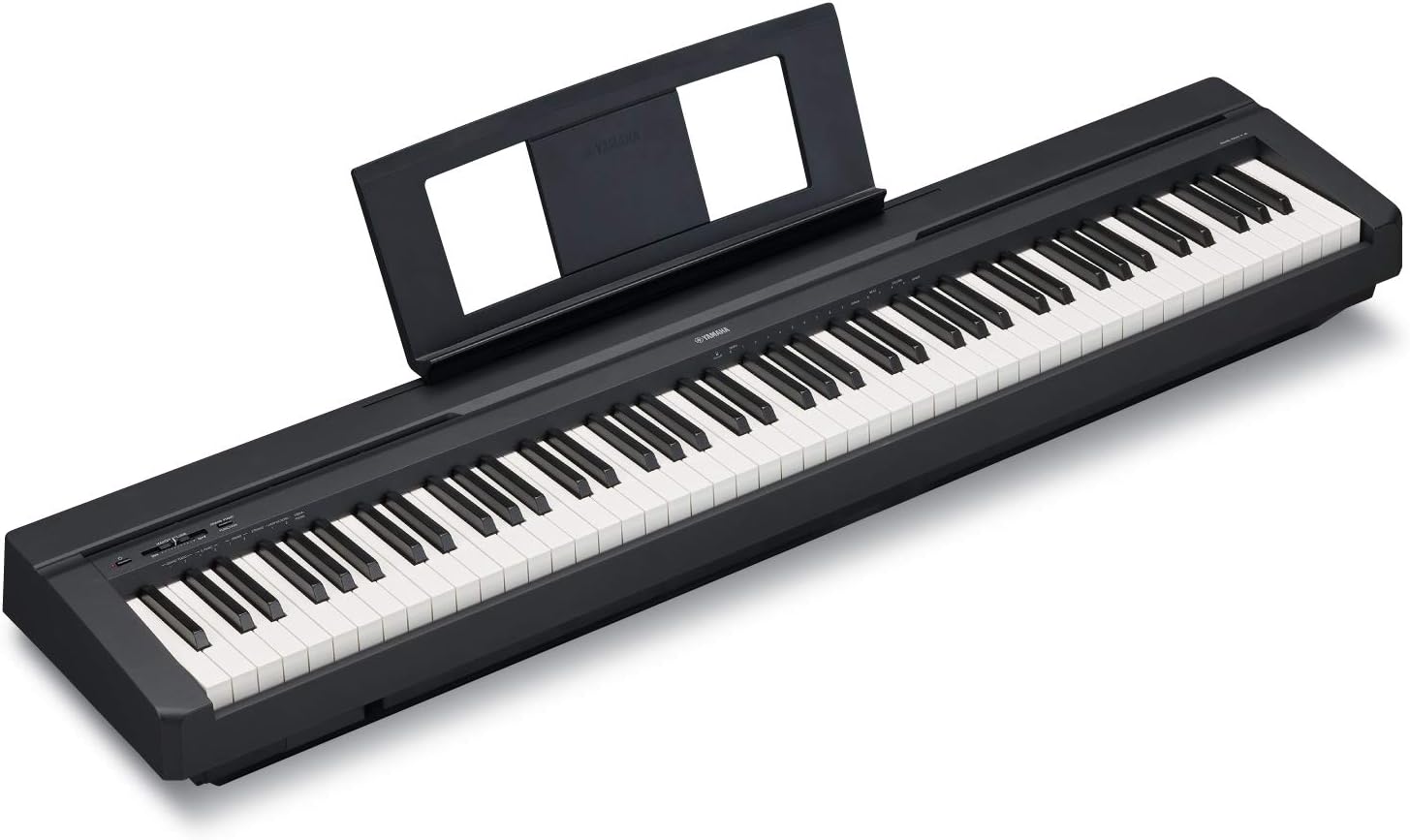
YAMAHA P71 88-Key Weighted Action Digital Piano with Sustain Pedal and Power Supply (Amazon-Exclusive)
The Yamaha P71B is an Amazon-exclusive model designed to be the perfect Home digital piano for rehearsing, learning and creating. A full sized piano keyboard with fully-weighted keys and Yamaha Premiu
Visit on Amazon →6Ft Long Cable USB 2.0 Type-A to Type-B High Speed Cord for Audio Interface, Midi Keyboard, USB Microphone, Mixer, Speaker, Monitor, Instrument, Strobe Light System Laptop Mac PC
The Yamaha P71B is an Amazon-exclusive model designed to be the perfect Home digital piano for rehearsing, learning and creating. A full sized piano keyboard with fully-weighted keys and Yamaha Premiu
Visit on Amazon →What You Actually Need
If you own a P-45 or P-71, you need exactly one cable: a USB-A to USB-B printer cable. That's it. It's the same cable you'd use for an old printer, and it costs about $8. The P-45 has a USB-to-host port on the back, and it shows up in your computer as a MIDI device the moment you plug it in. No drivers, no installation discs, no nonsense.
I've had students show up with expensive audio interfaces and XLR cables because a salesperson told them they needed to "capture the analog warmth" of their digital piano. That's nonsense. A digital piano is already digital.
The USB cable sends MIDI data directly to your computer, and your computer's sound engine plays it back.
The P-45 doesn't have line-out jacks like some older models, so USB is the only way to get the sound into your DAW without using the headphone jack.
The Two Connection Methods
There are two ways to get sound from your digital piano to your computer, and they do different things.
MIDI over USB is the one I recommend. The piano sends note data, not audio. Your computer's virtual instrument, like the free PianoTeq or the built-in sounds in GarageBand, plays the notes. This means you can change the sound after you've recorded it.
You can record a performance with the P-45's piano sound and then swap it to a harpsichord or a Rhodes with one click.
You can also edit mistakes, fix timing, and transpose without re-recording.
Audio out is the other option. You run a cable from the headphone jack to your computer's microphone input. This records the actual sound of the P-45, which is decent but not great. The problem is that the headphone jack outputs a stereo signal, and most computer mic inputs are mono.
You'll lose half the sound. You can buy a stereo-to-mono adapter, but you're still recording a compressed version of the piano's built-in sound.
MIDI is the honest choice. It gives you more flexibility, and it's the only way to record clean audio without an interface.
Setting It Up in Your DAW
I use Reaper because it's free to try and costs $60 for a license, but the same steps work in GarageBand, Logic, or Ableton.
- Plug the USB cable into the P-45 and your computer.
- Turn the piano on.
- Open your DAW.
- Create a new track.
- Select the P-45 as the MIDI input device.
- Arm the track.
- Play.
That's the whole process. The P-45 sends MIDI data the moment you press a key, and the DAW records it. If you don't hear sound, check two things. First, make sure the track is armed, the red button is lit. Second, make sure your DAW has a virtual instrument loaded on that track. A MIDI track with no instrument is silent.
The P-45 doesn't have a built-in audio interface, so the sound comes from your computer's speakers or headphones. If you want to hear the piano while you play, you need to monitor through the DAW. That adds latency, the delay between pressing a key and hearing the sound.
On a modern laptop, that delay is usually under 10 milliseconds. You won't notice it. On an old computer, you might need to lower the buffer size in your DAW's audio settings.
What About the RockJam?
The RockJam 61-key doesn't have MIDI. It has a USB port, but it only sends audio, not note data. That means you can't edit your performance, and you can't change the sound after recording. You're stuck with the built-in sounds, which are not good enough to record seriously.
One owner, Joy W., wrote a review in March 2024 saying her RockJam "worked well for six months" and then turned off permanently. The manufacturer told her they hold no US stock and couldn't help. That's a $100 paperweight. If you're buying a keyboard for a 6-year-old who wants to have fun, the RockJam is fine. If you want to connect it to a computer and record, spend the extra money on a P-45.
The Four-Year Problem
The P-45's action degrades noticeably around year four. Weston N., writing in a verified review, reported that "the action does noticeably degrade" and that "the keys develop a clicking sound over four years' time." Another owner said "the keys feel mushier than a year ago and not as crisp."
This matters for computer work because a mushy action makes it harder to play expressively. If you're recording a MIDI performance, the velocity data reflects your touch. A degraded action means you'll play with less control, and the recording will sound flat.
By year four, you'll know if your kid is still playing. If they are, you'll be ready to upgrade to something in the $1,000 range.
If not, you're out $450, not $1,500.
Compared to the P-71
The P-71 is the same instrument as the P-45, sold through Amazon. Carrie Capell, a professional musician with 18 years of experience, chose it after "a significant amount of research." The complaints are minor: the sustain pedal is too light, the high-end octave sounds a bit thin, and there's no Hammond organ sound built in.
For MIDI work, none of that matters. The P-71 sends the same MIDI data as the P-45, and it shows up in your DAW the same way.
Buy whichever is cheaper. I've played both, and I can't tell them apart.
Recording Quality
If you're recording for YouTube or a podcast, you don't need a separate audio interface. The P-45's MIDI output into a good virtual instrument sounds better than the built-in sounds. I use the free version of PianoTeq, and it's good enough for my students' recital recordings.
The one thing I'll warn you about is the sustain pedal. The P-45's included pedal is a simple on-off switch. It doesn't support half-pedaling, which is how you get subtle sustain effects. If you're recording a Chopin nocturne, you'll want a proper pedal with continuous control.
The Yamaha FC3A pedal costs about $40 and plugs into the same port. It's worth the money if you're serious about recording.
Should You Buy a P-45 for Computer Work?
If you're a beginner who wants to record your practice sessions and hear your mistakes, the P-45 is the right choice. It's 25 pounds, portable, and the USB-MIDI connection is plug-and-play. You can be recording in 10 minutes with an $8 cable.
If you're a gigging musician who needs to trigger virtual instruments live, you might want something with more control, like a dedicated MIDI controller. But for practice, recording, and learning, the P-45 is the best value on the market.
What I'm Testing Next
I'm currently comparing the P-45 and P-71 side by side to see if the Amazon-exclusive version has any meaningful differences. I'm also testing the $1,000 range of slabs to see if the action holds up better past year four. If you're in the market, wait a few weeks and I'll have the full report.