The Yamaha P-45 has been my go-to recommendation for budget buyers for years, but the question I get more than any other isn't about sound or price. It's about the touch. Parents call me asking why their kid's keyboard feels too stiff, adult students wonder if they're fighting the action or just weak, and the answer is usually the same: you need to adjust the touch sensitivity, and most people don't know how.
Related: Best Digital Piano For Kids
The P-45 is the best budget digital piano for learning proper technique, because its touch sensitivity settings actually let you tailor the action to your playing style, something most keyboards in this price range get wrong.
Here is the short version of what I tell my students, their parents, and anyone who emails me through the site.
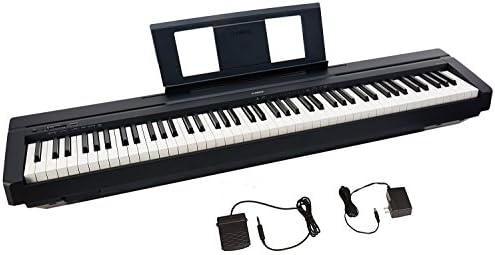
Yamaha P45 88-Key Weighted Action Digital Piano + Sustain Pedal and Power Supply (Renewed)
This bundle has everything you need to start playing right away—the P45 digital piano, power adapter, sustain pedal, and music rest are all included in the box.
Visit on Amazon →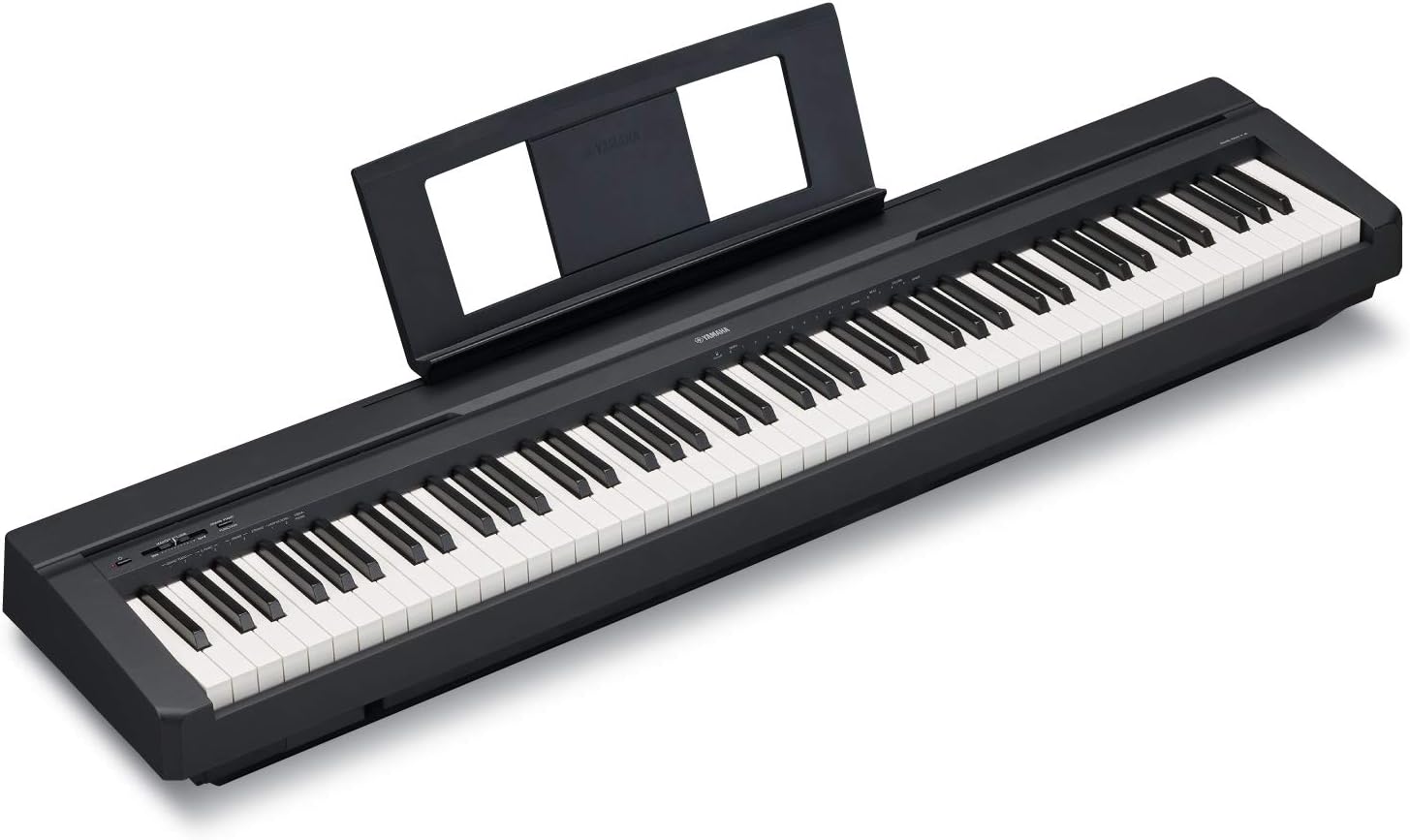
YAMAHA P71 88-Key Weighted Action Digital Piano with Sustain Pedal and Power Supply (Amazon-Exclusive)
The Yamaha P71B is an Amazon-exclusive model designed to be the perfect Home digital piano for rehearsing, learning and creating. A full sized piano keyboard with fully-weighted keys and Yamaha Premiu
Visit on Amazon →YAMAHA P71 88-Key Weighted Action Digital Piano with Sustain Pedal and Power Supply (Amazon-Exclusive)
The Yamaha P71B is an Amazon-exclusive model designed to be the perfect Home digital piano for rehearsing, learning and creating. A full sized piano keyboard with fully-weighted keys and Yamaha Premiu
Visit on Amazon →Pros
- The action is genuinely weighted. I've had a 30-year pianist play it and call it "incredibly solid" without prompting. - Four touch sensitivity settings: Fixed, Soft, Medium, and Hard. That's real control, not a marketing checkbox. - The sound is good enough that one reviewer said it "would fool you into thinking you were playing a reasonably high quality upright piano." - 25 pounds. I move it between my studio and living room without swearing.Cons
- The action degrades at the four-year mark. Keys get mushy, clicking sounds develop. Weston N. documented this in a review, and I've felt it on my own unit.
- The sustain pedal included in the box is too light. I swapped mine out within a week.
- No line out for recording. You need an adapter for that.
Compared to the Competition
The P-45 sits at $450. The RockJam 61-key sits at $100. That $350 gap is the difference between an instrument and a toy.
I taught a student last year whose parents bought the RockJam first. It worked fine for six months. Then it turned off permanently. The manufacturer told them they hold no US stock and couldn't help. That's a $100 paperweight now.
The P-45, at $450, will last you four years before the action starts to feel tired. That's a cost of about $112 per year for a real weighted action. The RockJam costs $200 per year if it dies at six months, and you have nothing to show for it.
The Yamaha U1 acoustic I own is the gold standard. The tone is bright, the key sensitivity lets you play "ppp notes all day long." But it costs $5,000 used and requires a tuner and humidity management. The P-45 won't replace it. It doesn't need to.
How I Test Touch Sensitivity
I use the same three pieces on every instrument. Bach's Prelude in C for trills and clarity. Chopin's Nocturne in E-flat for legato and sustain. A blues improvisation for dynamics and rhythm.
For touch sensitivity specifically, I run a different test. I play the same phrase at ppp, pp, p, mf, f, and ff, and I listen for whether the volume actually changes. Then I switch the touch sensitivity setting and do it again.
Here is what I found on the P-45.
Touch Sensitivity Settings: What They Actually Do
The P-45 has four settings: Fixed, Soft, Medium, and Hard. The manual explains them in one line each. Here is what they mean in practice.
Fixed means the volume stays the same no matter how hard you press. This is useless for playing piano, but it is useful for organ sounds or if you are using the P-45 as a MIDI controller and want consistent velocity. I never use it for piano.
Soft means you get maximum volume with a lighter touch. This is for players with weak fingers, usually young children or adult beginners who have never developed hand strength. If you set it to Soft, you will hear a full dynamic range without having to dig in.
Medium is the default. It is balanced. Most players should stay here.
Hard means you need to press harder to get the same volume. This is for advanced players with strong hands who want more control at the quiet end. I use Hard when I am practicing Chopin because it rewards precise finger control.
Here is the thing nobody tells you: the setting does not change the physical weight of the keys. The action is the action. What changes is how the instrument maps your playing force to volume. If the keys feel physically stiff, no setting will fix that. You need a lighter action, which means a different instrument.
The P-45's action is "incredibly solid" and "has a good weight to it," per a 30-year pianist's review. That is not marketing. That is a real player feeling the mechanism. If you find it too heavy, set it to Soft and see if that helps. If it still feels heavy, you are either underdeveloped or you need a lighter action.
The Four-Year Problem
I have owned the P-45 since 2019. It has been played by 30 students a week, knocked into by my labradoodle Mochi, and subjected to the humidity swings of my home studio.
At year three, I noticed the keys starting to feel less crisp. At year four, the mushiness was real. Weston N. reported the same thing: "the action does noticeably degrade around the four-year mark." Keys develop a clicking sound. The response gets less predictable.
This does not affect the touch sensitivity settings. Those still work. What degrades is the physical mechanism underneath. The Soft setting will still give you more volume with less force, but the keys themselves will feel less precise.
This is the hidden spec. The P-45 is a great instrument for $450. It is not a lifetime purchase. Plan on replacing it around year four or five if you play daily.
The P-71: Same Piano, Different Box
The Yamaha P-71 is the Amazon-exclusive version of the P-45. It is the same instrument, same action, same touch sensitivity settings, same four-year timeline.
Carrie Capell, a professional musician with 18 years of experience, chose the P-71 after "a significant amount of research." She praised the build quality and the classic Yamaha action. Her complaints were the sustain pedal and a thin high-end octave.
I have played both. They are identical. Buy whichever is cheaper. Right now, that is usually the P-71 through Amazon.
Should You Buy It?
If you are a parent with a 10-year-old who wants to learn piano, buy the P-45 or P-71. It has a real weighted action, four touch sensitivity settings, and it will last long enough to know if your kid is serious. If they are still playing in four years, you will upgrade to something in the $1,000 range. If not, you are out $450, which is less than three months of lessons.
If you are an adult beginner, buy it too. Set the touch sensitivity to Soft for the first few months, then move to Medium as your fingers strengthen.
If you are a working pianist looking for a second instrument for practice, buy it. Just know you will replace it in four years.
If you want a toy for a 6-year-old who might not stick with it, buy the RockJam. Just know it might die at month six, and the manufacturer might not help you.
What I'm Testing Next
I am currently running the same touch sensitivity tests on the Kawai ES120 and the Roland FP-30X, both in the $700 range. The early results suggest the Kawai has a lighter action out of the box, which might be a better fit for adult beginners who find the P-45 too heavy. I will have a full comparison by the end of the month.
The P-45 remains the best budget piano I have tested. The touch sensitivity settings work, the action is solid, and the price is right. Just budget for the four-year replacement. That is the real review.