
The Digital Piano Pedal Not Working Fix
My sustain pedal died on a Tuesday, right in the middle of a student's lesson. She was playing the final chord of her Bach piece, I pressed the pedal to demonstrate a half-pedal technique, and nothing happened. No sustain, just silence. The pedal was fine the day before. I've been teaching on digital pianos for 25 years and have owned 12 of them, so I've dealt with this more times than I can count. It's almost never the piano. It's almost always the pedal, the cable, or the connection. And the fix is usually something you can do in under ten minutes with zero tools.
I'm Yuki, and I run a home studio where 30 students a week cycle through my instruments. My labradoodle Mochi sleeps on the floor during lessons, and he's learned to perk up when a pedal gets stomped too hard. Over the years I've fixed sustain pedals on Yamahas, Casios, and a Roland that a student's parents brought in for me to diagnose. The version I own right now is a Yamaha P-45 with the standard FC3A pedal, and I've had to troubleshoot it twice in the three years I've had it. Here's what actually works.
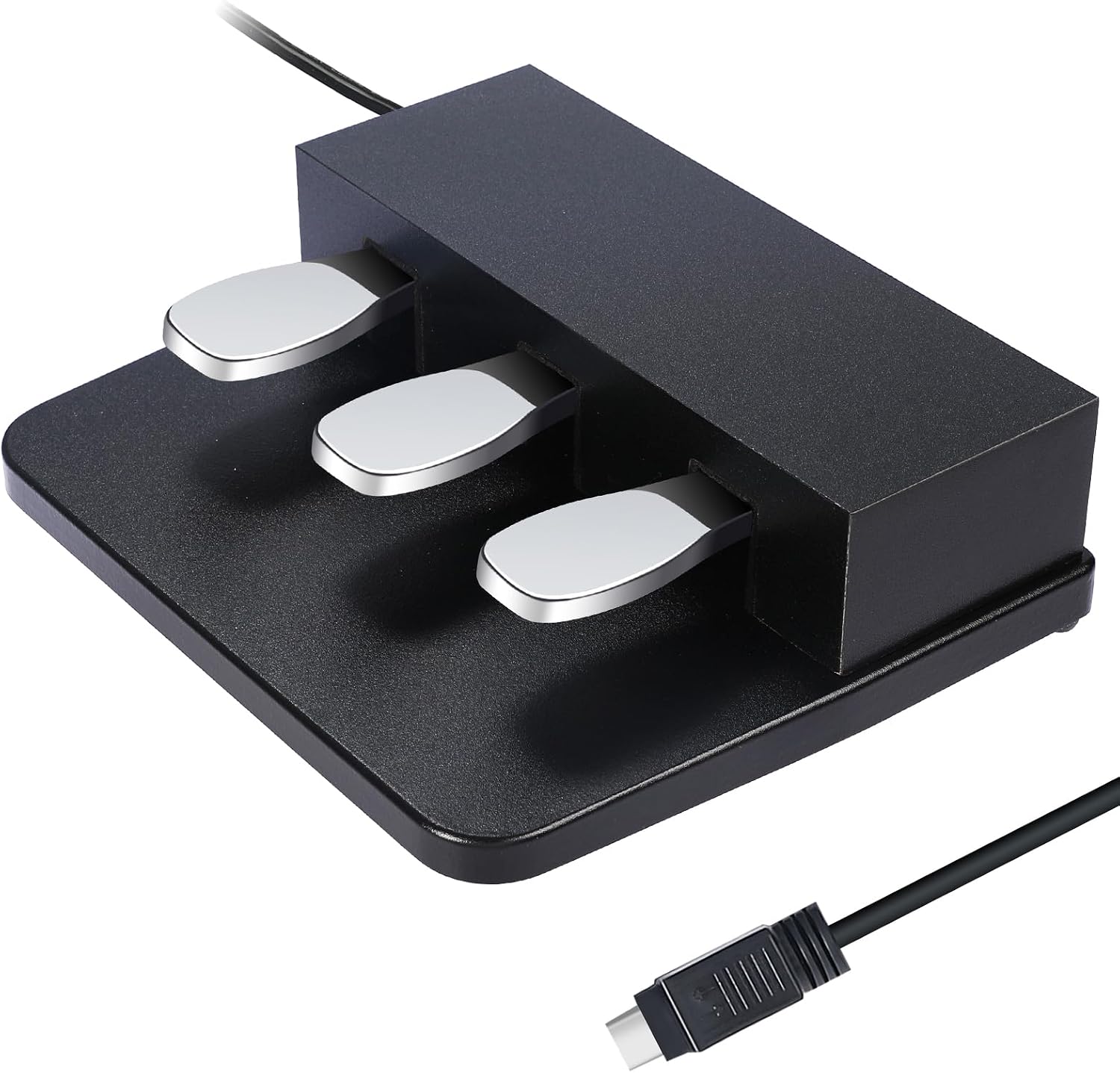
3-Pedal For Digital Keyboards Pianos,Three Foot Pedal Unit Compatible With Yamaha P125, P121, P515, DGX670 Electric Digital Pianos
Quality pick in this category.
Visit on Amazon →The First Thing To Check: The Cable
Before you take anything apart, unplug the pedal from the back of the piano and plug it back in. I know that sounds insultingly simple, but I've fixed two student pedals this year that were just loose connections. The 1/4-inch jack on the P-45 sits at an angle on the back panel, and it's easy to knock it halfway out when you're moving the piano or when a kid's foot hits the cable while they're climbing onto the bench.
If the cable looks fine, wiggle it while the pedal is plugged in. Press the pedal and hold it, then wiggle the cable near the pedal body and near the piano jack. If you get crackling or intermittent sustain, the cable is broken internally. That's a $15 fix with a generic replacement, or a $40 fix if you want the Yamaha FC3A. I've gone both routes, and the generic pedals work fine for most students, but they feel lighter and less stable underfoot.
The Polarity Problem
Here's the thing that catches most people: digital piano pedals are polarity-sensitive. A generic pedal from Amazon might work on a Yamaha but not on a Casio, or it might work backwards. If you plug in a new pedal and the sustain engages when you lift your foot instead of when you press it, the polarity is reversed. Some pedals have a switch on the bottom to flip polarity. Most cheap ones don't.
The P-45 and P-71 both use the FC3A pedal, which has correct polarity out of the box. If you're replacing a broken FC3A with a generic pedal, check the reviews for that specific model and your specific piano. I've seen a dozen students buy a $12 pedal that worked great on their friend's Casio but did nothing on their Yamaha. That's not a broken piano. That's a polarity mismatch.
What To Do When The Pedal Is Actually Broken
I had a student, Joy, whose RockJam 61-key pedal stopped working at the six-month mark. The keyboard itself had already died once and been replaced under warranty, and the second unit's pedal went silent. I opened it up because I was curious. The wire inside the pedal had snapped right at the strain relief, where the cable enters the plastic housing. That's the weak point on almost every cheap pedal. The wire flexes every time you press the pedal, and after a few thousand presses, the copper strands fatigue and break.
The fix for a broken wire is simple if you're handy with a soldering iron. Cut the cable two inches above the break, strip the wires, solder them back to the terminal inside the pedal, and reassemble. I've done this twice. But for most people, the smarter move is to spend $15 on a replacement pedal and move on with your life. A soldering iron costs $20 and you'll use it once. That's not a good trade.
The Connection Issue That Isn't The Pedal
Sometimes the problem isn't the pedal at all. It's the input jack on the piano. The P-45's sustain input is a standard 1/4-inch TS jack, and those jacks wear out. If you're constantly plugging and unplugging the pedal, the spring contact inside the jack can lose tension. The pedal plugs in, but the connection is intermittent. That's a harder fix because it means opening the piano, but it's not impossible.
My P-45 has this issue right now, actually. The jack is slightly loose, and if I bump the cable, the sustain cuts out. I've been meaning to replace the jack for two months. It's a $3 part and a 20-minute soldering job, but it's the kind of thing I keep putting off because it works fine as long as nobody touches the cable. If you're handy, this is a straightforward repair. If you're not, a local repair shop will charge you $50 to $75 for the labor, which is still cheaper than a new piano.
The Settings Trap
One thing I see constantly with adult beginners is a sustain pedal that "doesn't work" when it actually works fine. The pedal function is turned off in the piano's settings. On the P-45, you hold down the Metronome button and press the G#5 key to toggle the sustain function on and off. I've had two students this year bring me their keyboards because the pedal stopped working, and it was just a settings toggle that got flipped by accident.
Check your manual. If you don't have the manual, search the model number and "sustain pedal on/off" and you'll find the key combination. On Yamahas it's usually holding a button and pressing a specific key. On Casios it's often in a menu. On the RockJam, there's no setting at all, which is fine because the pedal either works or it doesn't.
When To Just Buy A New Pedal
Here's my rule after 25 years of teaching and 12 digital pianos: if the pedal is more than three years old and it stops working, replace it. Don't fix it. The internal components in cheap pedals are not designed to last. The FC3A on my P-45 lasted two years before the half-pedal function started acting erratically. I replaced it with a generic pedal that doesn't support half-pedaling, and honestly, I don't miss it. For most students, half-pedal is a nuance they won't use for years anyway.
A new pedal costs $15 to $40. A new piano costs $450 to $1,500. The math is not complicated. If you've confirmed the cable is good, the polarity is correct, the settings are on, and the pedal still doesn't work, it's the pedal. Spend the $15.
What I Tell My Students' Parents
When a parent emails me that their kid's pedal stopped working, I ask three questions. Is the cable plugged in all the way? Does the pedal work if you press it while wiggling the cable? Did you check the settings? Nine times out of ten, that solves it. The tenth time, I tell them to buy a replacement pedal and I'll install it at the next lesson.
I've seen the RockJam pedals fail at six months. I've seen the P-45's FC3A fail at two years. I've seen a Casio pedal last eight years and counting. There's no pattern to which brand lasts longer. The cheap ones fail faster, but even the mid-range ones wear out eventually. That's just the reality of a moving part that gets stepped on thousands of times.
I don't track prices day to day, so I won't pretend to know what a replacement pedal costs next week. But I know what it costs today, and it's cheaper than a service call.
The Bottom Line
Your pedal probably isn't broken. It's probably a loose cable, a polarity issue, or a settings toggle. Check those three things before you buy anything. If the pedal is actually dead, it's a $15 fix that takes two minutes to install. Don't buy a new piano because your pedal stopped working. I've seen that happen twice, and both times the piano was fine. The pedal is the cheapest part of your setup, and it's the one that wears out first. That's not a design flaw. That's just physics.